What We've Learned Generating AI images for Amazon Beauty Brands in 2025
Prompting Best Practices
Creative
At Luminary Retailers, we’ve spent last year watching AI reshape how our creative team operates. What began as small experiments has evolved into an essential part of our content workflow.
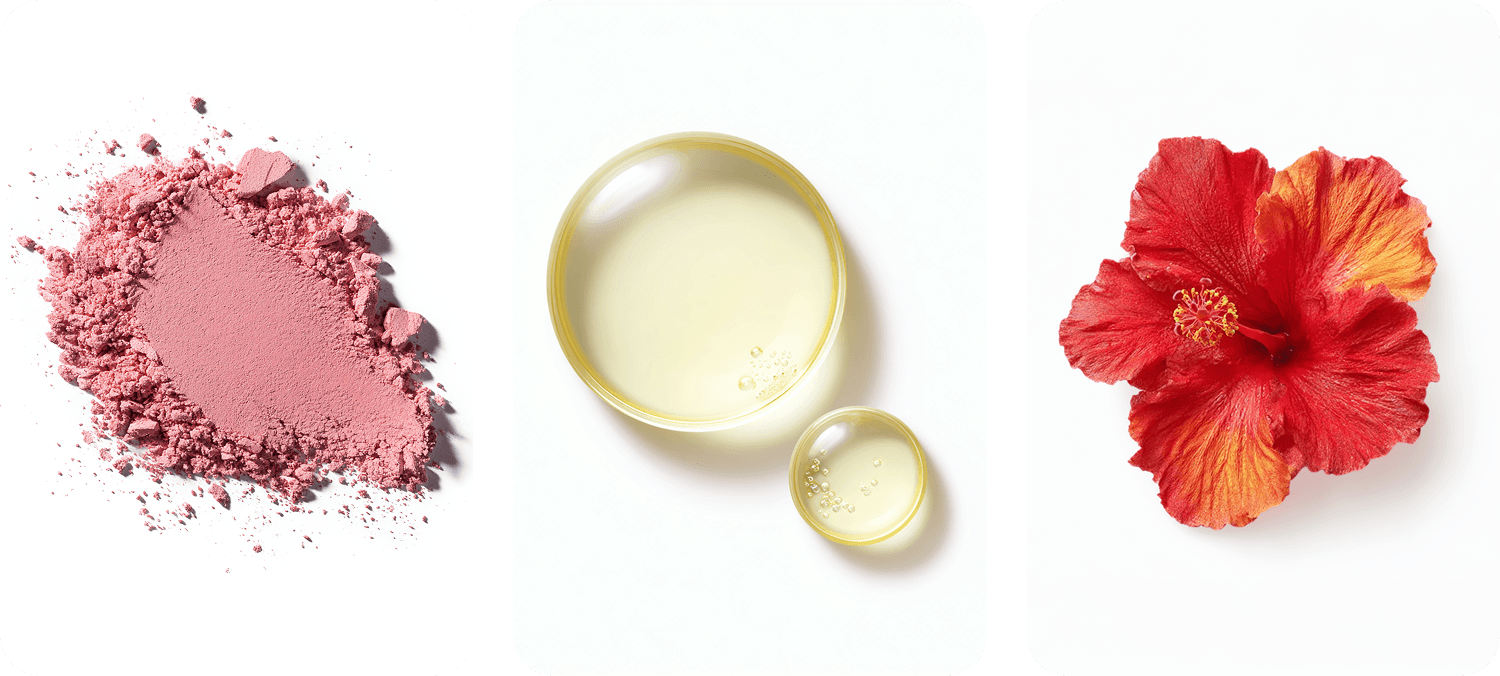
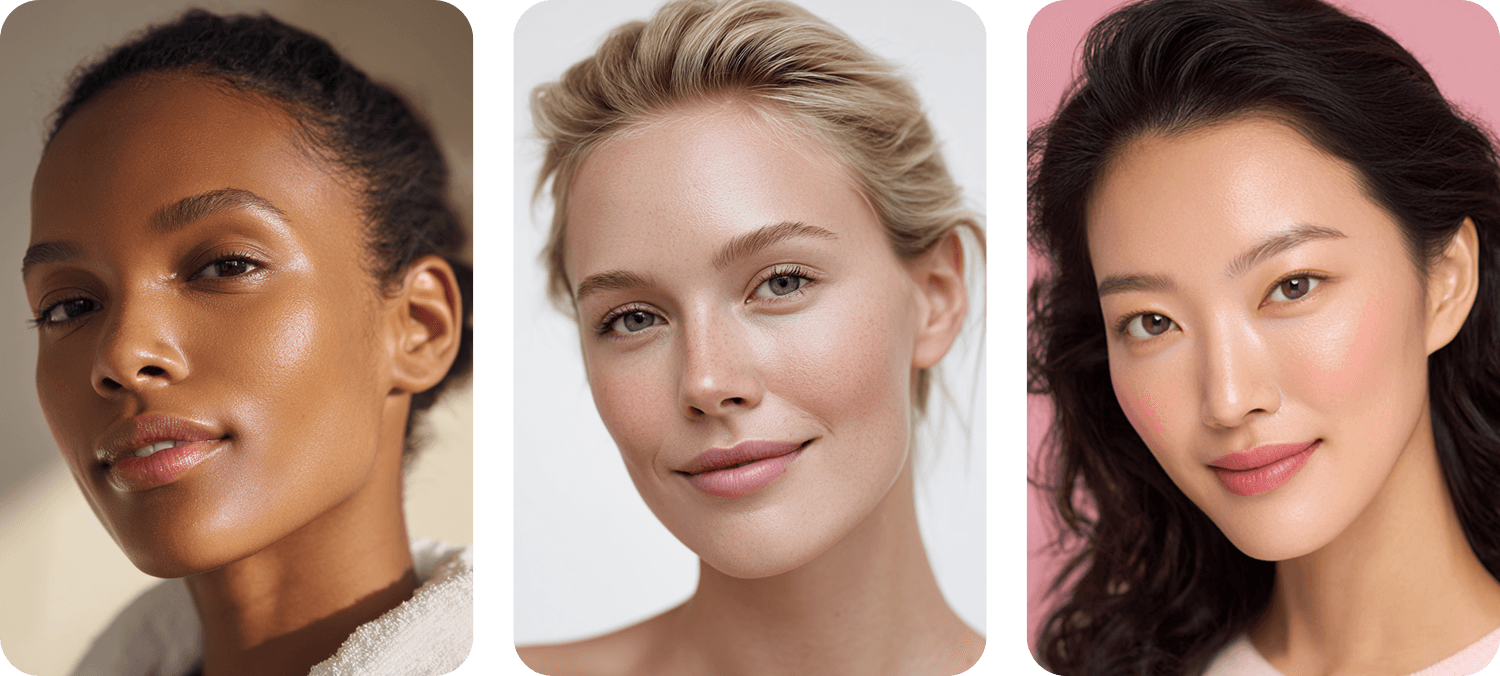
Today, we generate AI imagery when brands don’t have assets available; from swatches, ingredients, textures, and backgrounds to model shots that show product scale, and even video clips for Sponsored Brand Videos. We’ve nearly replaced stock photos and some photoshoots, while maintaining a consistent look and feel across every brand.
But let's be clear: this isn't about replacing photographers or abandoning quality. It's about understanding where these tools excel, where they fall short, and how to use them responsibly.
The Reality for Beauty Brands in 2026
The pressure to update Amazon content quickly has never been higher. Algorithm changes, seasonal campaigns, competitor launches. But AI tools are part of the equation, not the answer.
Here's our take: brands with large catalogs (say, 100 SKUs or more) still need professional photography as their foundation. AI simply isn't fast or consistent enough to replicate an entire photoshoot while maintaining brand cohesion across that many products, yet. Right now, the time spent prompting, regenerating, and fixing inconsistencies in Photoshop often exceeds traditional production time.
However, for brands with smaller portfolios (20 products), AI becomes a powerful ally. You can create variations, test concepts, and produce supporting content without the overhead of multiple shoots.
The Prompting Process: What Actually Works
Generating quality AI content isn't about typing a simple request and hoping for magic. It requires precision. Here's our framework:
Be exhaustively specific. Every detail matters: background color and texture, model age, skin color, eye color, describe the clothes, model pose, describe as if you are a cinematographer describing a scene, product angle (front-facing, three-quarter, flat lay), camera movement for videos (slow zoom, orbit, static), lighting direction and quality (soft diffused, dramatic side-light, golden hour), time of day, aspect ratio. Even if you want to describe a light modifier, softbox, hexadecagon, or even if you prefer Canon vs. Nikon vs. Leica, you can include that too and the result will change!
Define what you don't want. Negative prompts are equally important. Exclude elements that commonly appear but don't fit your brand: harsh shadows, cluttered backgrounds, unrealistic skin textures.
Iterate systematically. Save your successful prompts. Document what works and what doesn't. Building a prompt library specific to your brand's aesthetic will save countless hours over time.
Pro Tip: You don't have to create prompts from scratch. You can give it an image, ask it to describe it, and let it know any modifications + the elements we mentioned previously, then ask it to create an original prompt for the AI tool you’ll use.
What We've Tested: 3 AI Tools for Creative Production
After months of experimentation, we've narrowed our toolkit to these platforms for generating images and videos for beauty brands. Each has distinct strengths and limitations worth understanding.
Midjourney
Best for: Lifestyle imagery, model photography, product textures, unlimited generation
Midjourney shines in skin texture, the results are sometimes hard to differentiate from a real photo. The ingredients and skincare textures look realistic. It's great when you need volume and creative exploration. The almost unlimited generations on paid plans mean you can experiment freely, testing different backgrounds, lighting setups, and compositions until something clicks.
The cons: If your image has any typography integrated into a product, expect frustration. You'll likely need to generate the image on other AI, and then fix any text in Photoshop.
Gemini, ChatGPT and Veo 3.1
Best for: When you need your product in the image or video
Gemini (Nano Banana) and Veo 3.1 consistently deliver polished results when using a product. They maintain the proportions and material almost correctly. While they don't maintain accuracy on text labels, your designer can improve it in Photoshop. The built-in voiceover and sound effects are a bonus that can save hours.
The cons: The images are not high resolution, so you need to use other AI to increase the quality. The results start becoming inaccurate after a few requests in the same conversation.
Amazon Creative Studio
Best for: Quick sponsored content inside Amazon
It's free and it's inside Amazon. That alone makes it worth testing. For straightforward product-on-background imagery with promotional text, it handles the basics. Amazon's system understands e-commerce context, which can be helpful for compliant creative.
The cons: The UX is completely different. You don't write a prompt like in ChatGPT, instead you talk with it and it can take several minutes to see a result. For beauty brands, the backgrounds feel repetitive, and animations can produce unexpected results. There's a learning curve to communicating effectively with the system. But we are sure in 2026 the Amazon Creative Studio will improve a lot.
Let's see an example using this prompt:
A model with a soft smile gently applying white cream to her face, Medium Close-Up shot, her hand delicately holding the product near her cheek. Hyper-realistic skin texture showing natural pores, fine lines, and luminous glow. Soft natural lighting casting subtle shadows that accentuate facial contours and dimension. Enhance skin realism: add subtle, natural skin texture with softly visible pores and fine micro-details. Skin should look authentic and untreated. Keep texture controlled and minimal, no smoothing, no airbrushing, no beauty retouch, no exaggerated pores. Photorealistic, clean, high-resolution editorial quality under soft lighting. Natural realism only. White minimalist background. Shot on Canon camera, 50mm lens, f/5.6 aperture, professional beauty photography, shallow depth of field, natural color grading, high-end cosmetics advertisement style, ultra-detailed, photorealistic, 8K quality
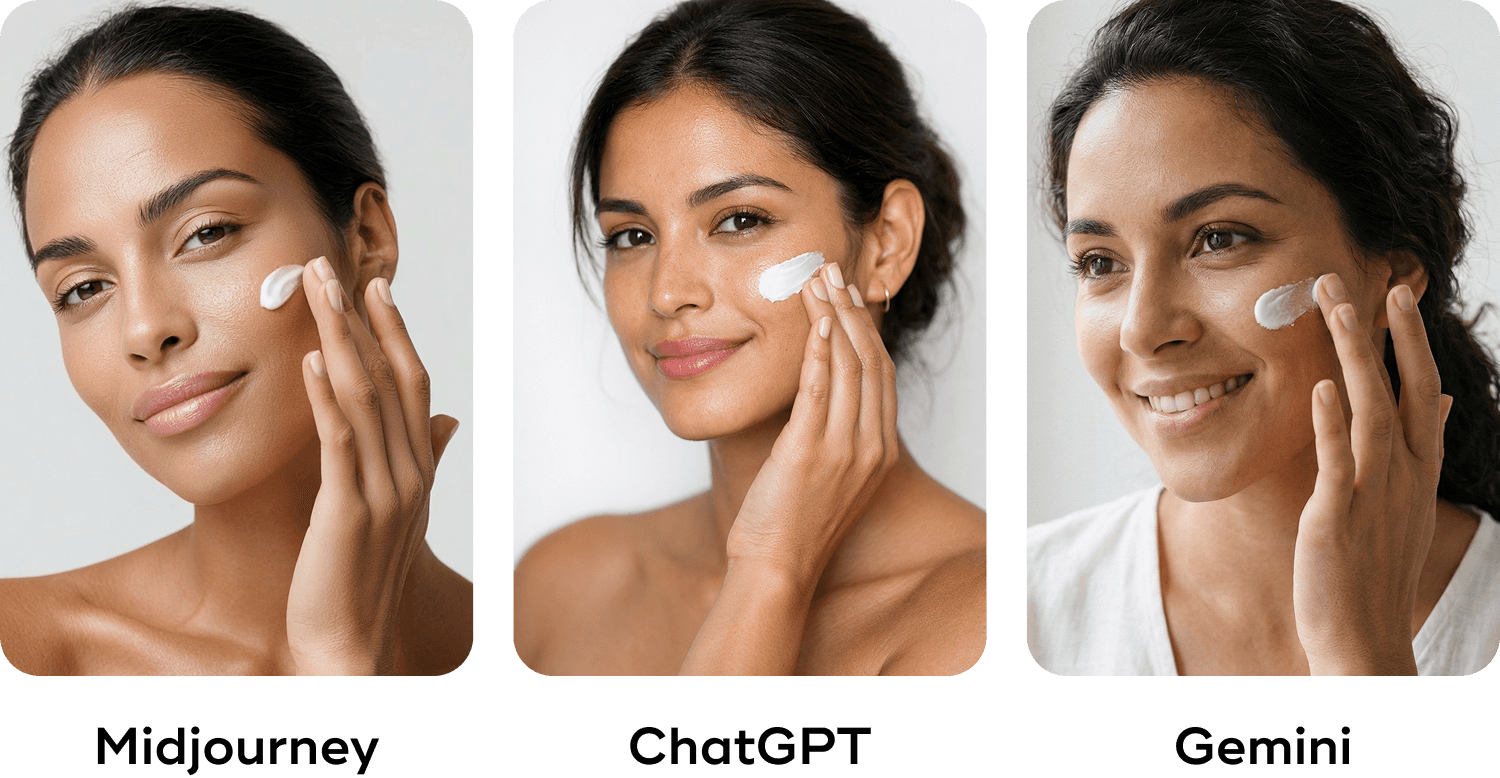
Depending on the result you prefer, you can choose the AI to use. With ChatGPT and Gemini, making changes can take more time because they generate one image at a time. Midjourney, on the other hand, makes it easier to request specific adjustments through its editor panel, and gives you four images each time you make a request.
For example, if we want to keep everything the same but change the model, here are the results:
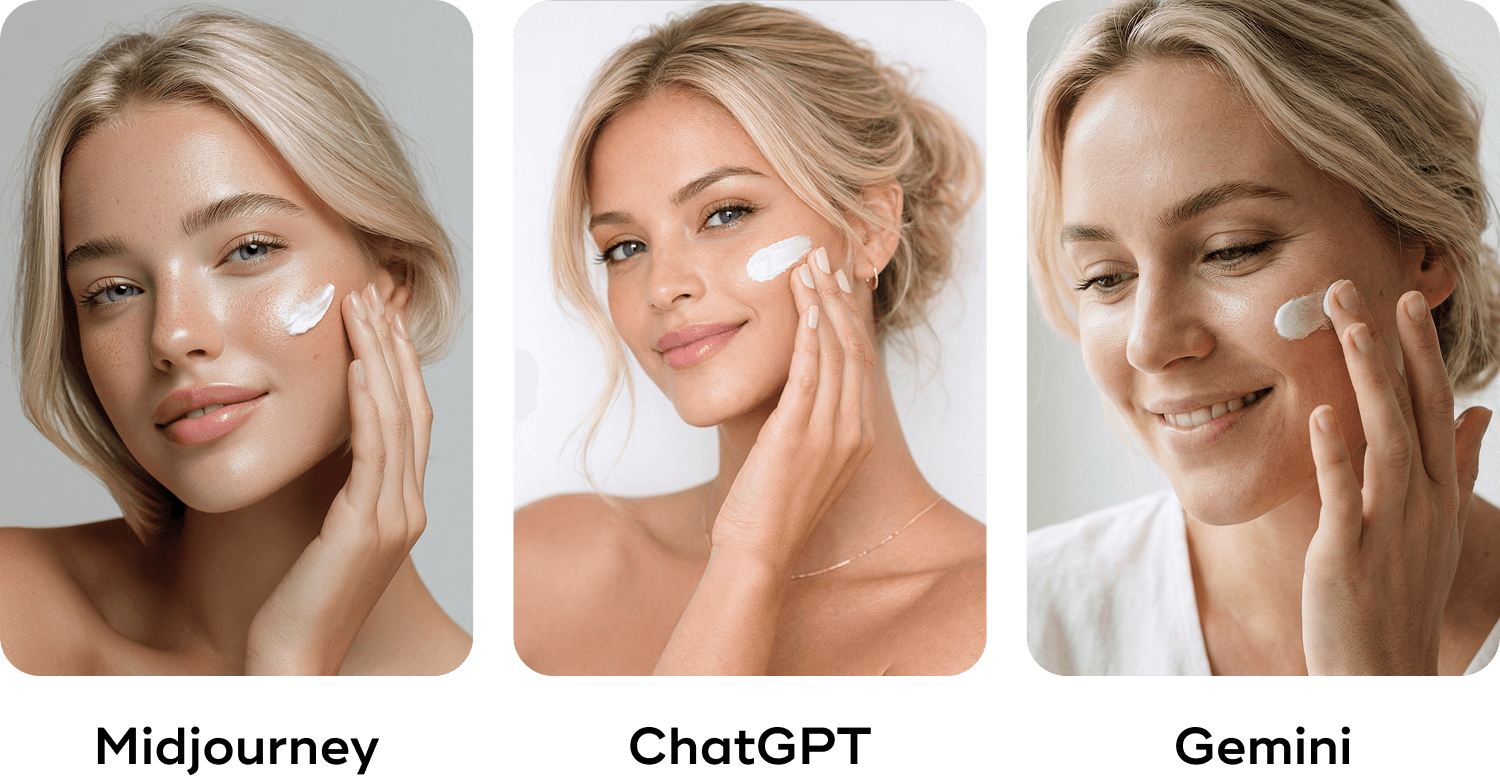
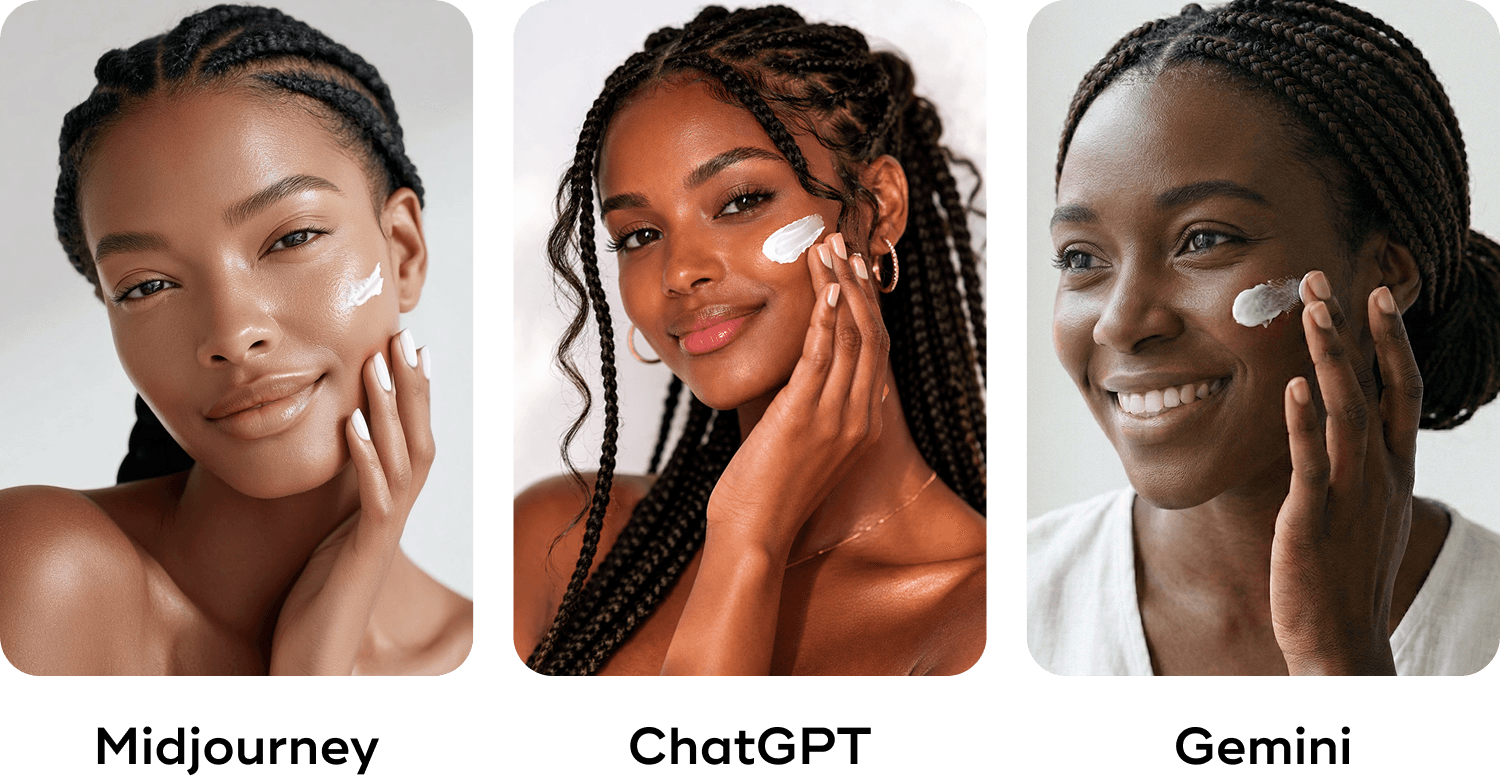
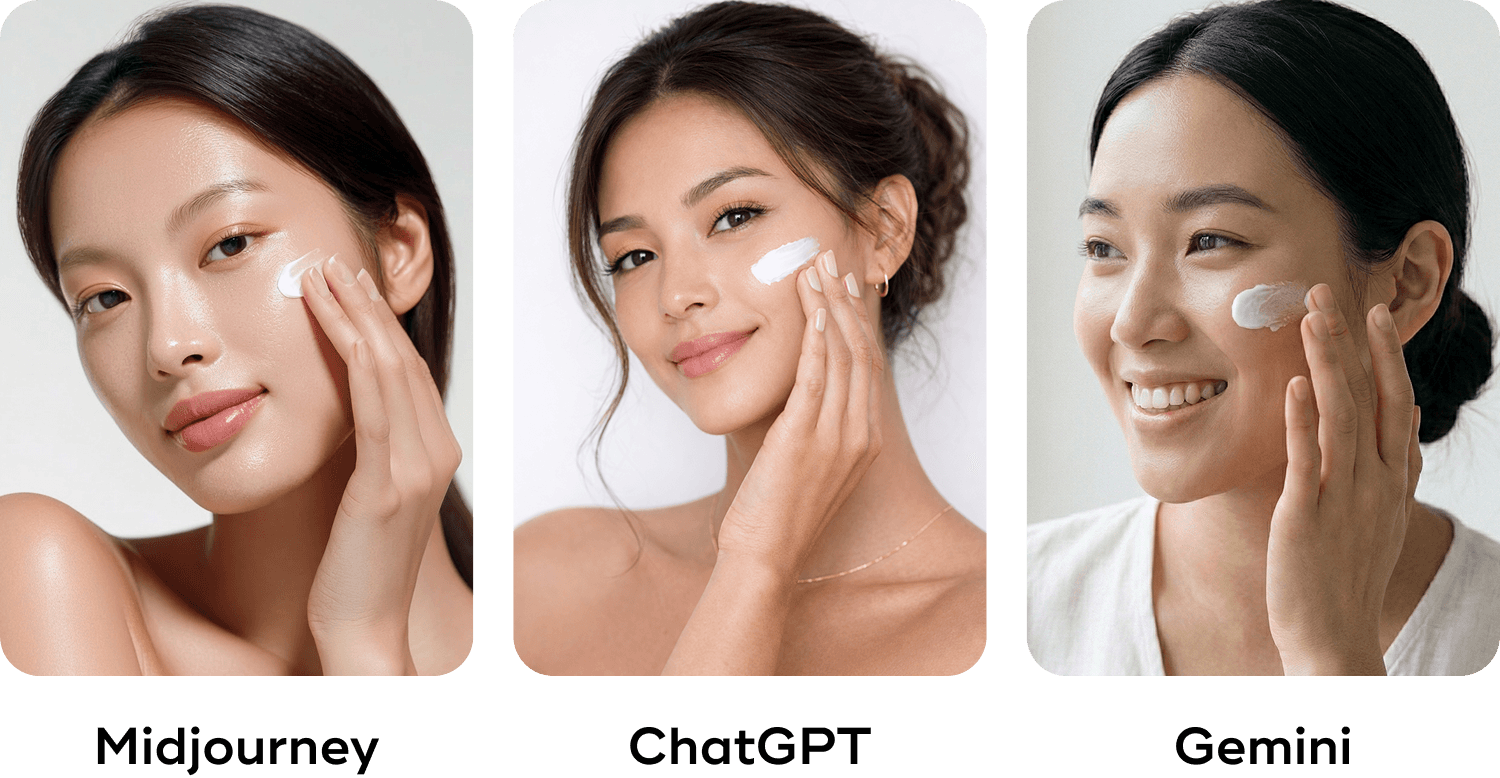
We liked the last model from Midjourney, but what happens if we need her holding a serum bottle? Let's see the same prompt on each AI.
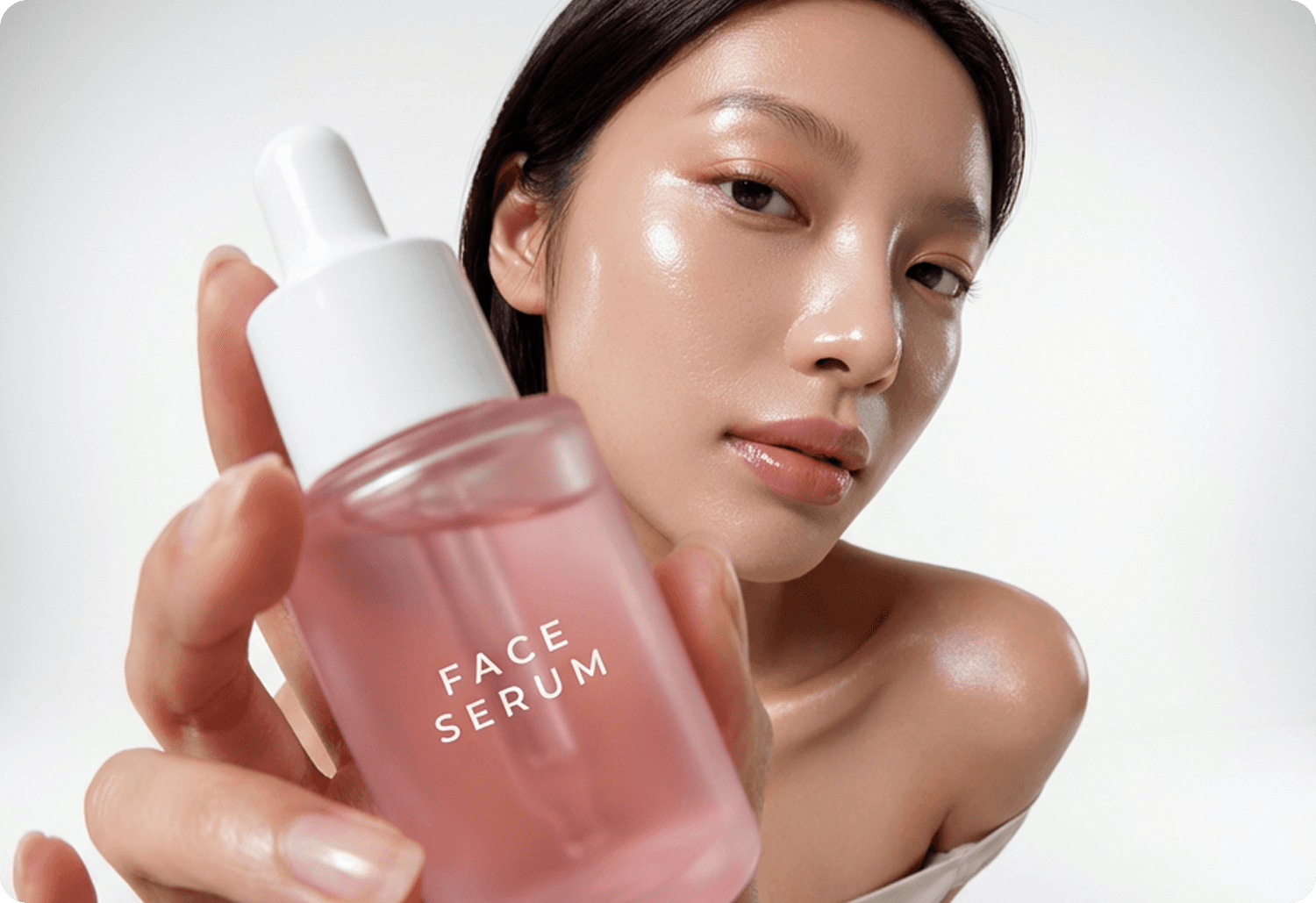
A fashion-forward beauty advertisement with exaggerated depth and a modern celebrity-brand aesthetic. An East Asian female creator, styled like the woman in the first image with glowing, dewy skin, is posing dynamically, twisting her body slightly. She is holding the pink frosted 'FACE SERUM' bottle from the second image extremely close to the camera lens, creating a dramatic 'fisheye' or deep perspective effect. The background is a white background studio. High-gloss highlights on her skin, emotional softness in her expression, and high-end editorial lighting, aspect ratio: 3:4
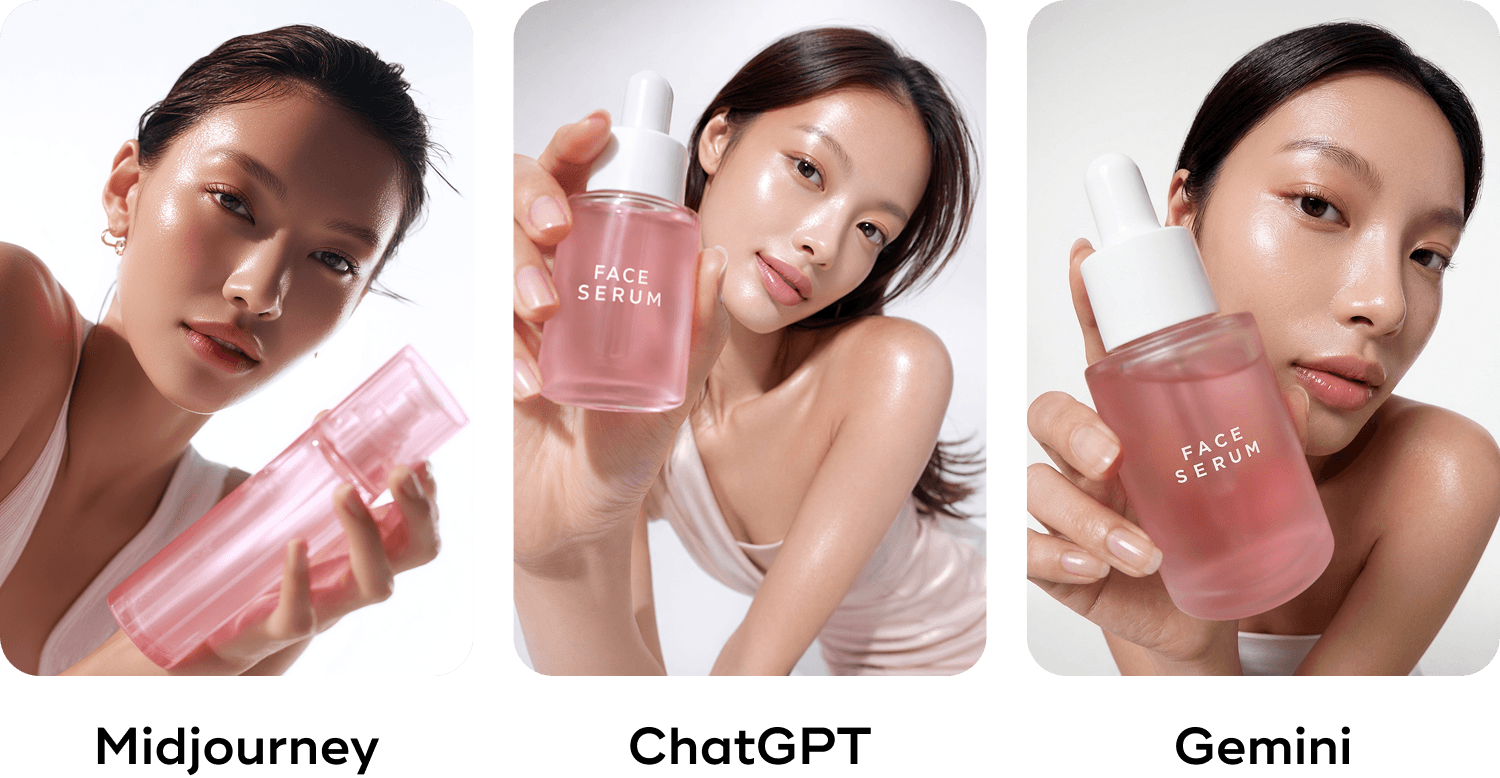
As we mentioned, the results vary by AI tool. What we've found works great is mixing their results and editing any details in Photoshop to create multiple images that help us complete the photos we need for the Amazon thumbnails, A+ content, and storefront in a cohesive way.
The goal is always to show customers what your product actually looks like. Realistic imagery builds trust, reduces returns, and avoids bad reviews. Nobody wants to land on a listing and feel like the product won't match what arrives at their door. AI helps us create polished, professional content, but product accuracy matters more than aesthetics.
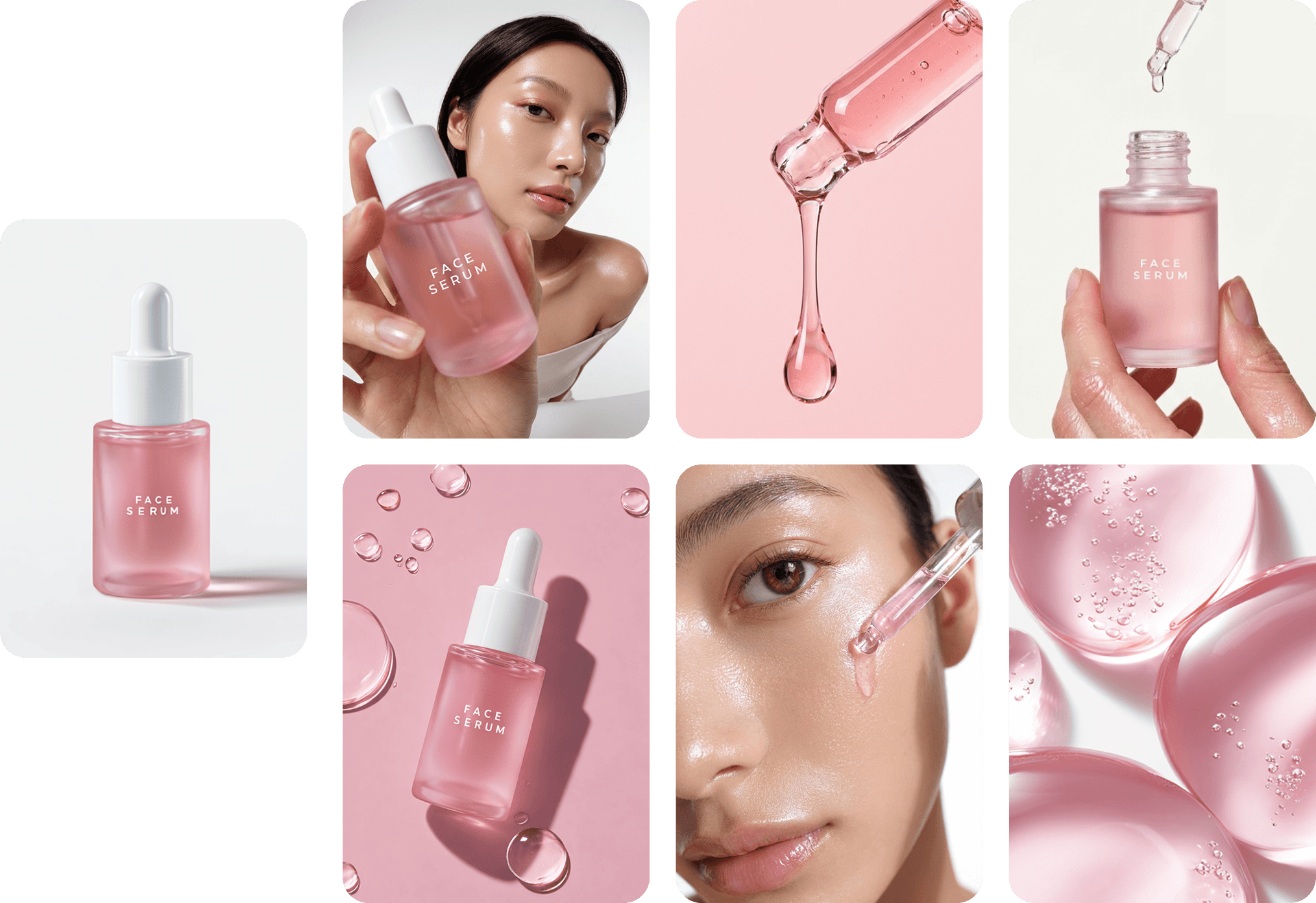
Great creative direction that follows the brand and product needs, combined with detailed prompts and always giving the AI your product image to reference, can drive you to great results. The final six images were created with a mix of the three AI tools.
The Ethics Question: Where We Draw the Line
Our position: generating ingredients, textures, lifestyle settings, and model imagery that accurately represents product usage is fair game. We're not making false claims. A hand holding a moisturizer jar to show scale isn't deceptive, it's functional.
What we won't do: create fabricated before-and-after results. AI makes it technically possible to generate "transformations" that a product could never deliver. That crosses the line from creative production into false advertising. It erodes consumer trust and, frankly, it's wrong.
The technology is powerful. The responsibility to use it honestly falls on us.
Looking Ahead
We believe 2026 will be a transitional year. AI tools will become faster, more consistent, and better integrated into existing workflows. But they won't eliminate the need for professional photography.
Smart brands will use AI to fill gaps, accelerate iteration, and explore concepts quickly. They'll still invest in foundational shoots for their core products, then extend that content library with AI-generated variations.
The brands that thrive will be those that treat AI as a tool in the equation, not the entire answer.
Nathalie Anfuso - Luminary Retailers’ Creative Director
About